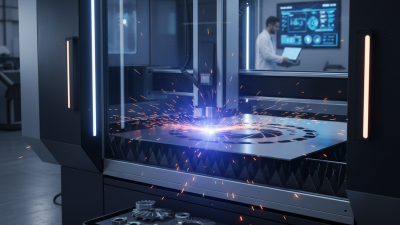
Buying a laser metal cutting machine is a serious investment for any fabrication business. The right model can improve accuracy, production speed, and material efficiency. The wrong choice may create expensive delays, unstable cuts, and maintenance problems.
This guide shares ten practical tips based on common workshop needs and manufacturer specifications. It examines laser power, cutting thickness, worktable size, control systems, ventilation, and after-sales support. A machine cutting thin stainless steel behaves differently from one processing thick carbon steel daily. Small details matter, such as nozzle alignment, lens protection, and the time required for changing materials. Ask for test cuts using your own metal samples. A polished showroom demonstration is not enough.
Check the supplier’s certifications, service history, warranty terms, and training arrangements. Reliable technical support can prevent a minor fault from stopping production for several days. Energy consumption also deserves attention, especially when the machine operates for long shifts. Compare total ownership costs, not only the purchase price.
No checklist is perfect. I would still leave room for doubt. Production goals can change, and a machine selected today may feel limited later. Speak with experienced operators, inspect similar installations, and request clear performance data. Safety features must also meet applicable local requirements, including guarding, emergency controls, and fume management. With careful research, the laser metal cutting machine can become a dependable production asset rather than an expensive experiment.
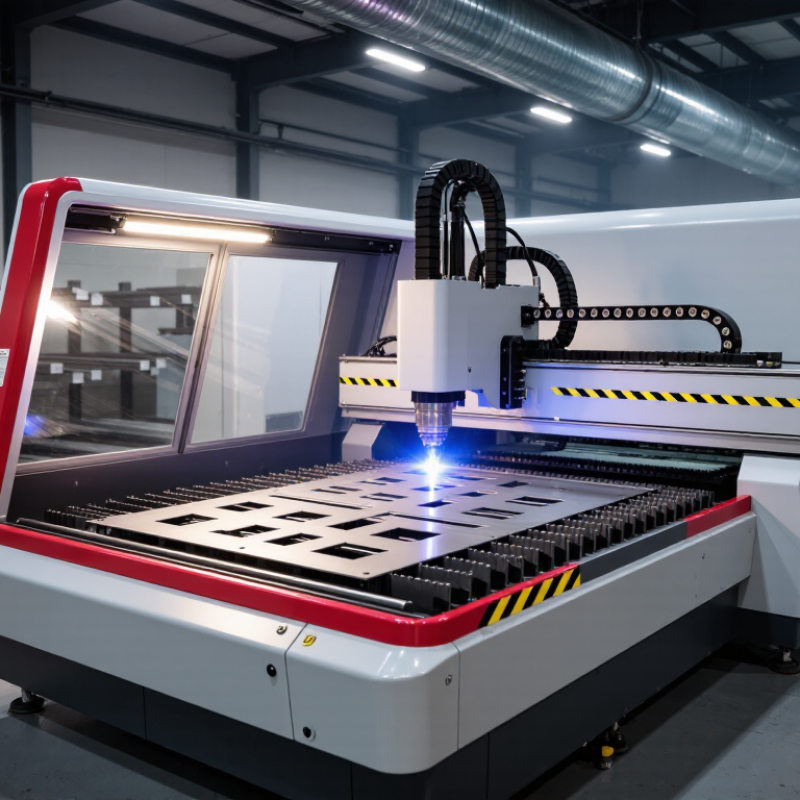
Before comparing machines, list the parts you actually make, not the jobs you hope to win. Record each alloy, sheet size, thickness range, and monthly volume. Mild steel, stainless steel, and aluminum behave differently; reflectivity, thermal conductivity, and assist-gas needs affect cutting conditions. Measure the thickest parts, too. A machine rated for a maximum thickness may cut it slowly or leave rough edges. Start with real parts. Include hole diameters, narrow slots, corner details, and required tolerances. Small features can reveal limits that a long, straight cut will not.
Separate routine work from occasional exceptions. If most orders use 2 mm stainless steel but a few require 12 mm carbon steel, decide whether those exceptions justify extra power and operating cost. Specify whether parts need clean edges for welding, minimal burrs, or close dimensional repeatability. Note surface films, protective coatings, and sheet condition; warped or scratched stock can complicate handling and setup. Ask for sample cuts using your own material, then compare edge quality, cycle time, and scrap. Estimates are messy. It is easy to overvalue maximum thickness and overlook daily sheet layouts, which may be the real production bottleneck.
Tip 1: Identify the laser source before comparing machine prices. Fiber lasers usually cut reflective metals efficiently and require limited routine maintenance. CO2 lasers can remain useful for mixed materials, but metal cutting may involve higher operating demands. Ask for source lifespan, replacement cost, and service records. A low purchase price can hide expensive downtime.
Tip 2: Match power to your real production range. A 3 kW machine may handle thin stainless steel quickly, while thicker mild steel needs more power and slower feed rates. More power does not automatically create better edges. Cutting speed, beam quality, nozzle condition, and assist gas pressure also matter. Request test cuts using your own materials, not only polished samples.
Tip 3: Compare measurable cutting performance. Check edge squareness, kerf width, dross, heat-affected areas, piercing time, and repeatability. I recommend testing several sheets, including a 3 mm stainless sample and a 12 mm mild steel sample. Record settings and inspect the underside carefully. Small flaws become costly during assembly.
Watch the details.
A reliable supplier should provide clear tolerances, maintenance requirements, and verified test data. Ask how performance changes after extended operation, because short demonstrations can be misleading. I once focused too heavily on maximum thickness and underestimated piercing time. That mistake would have reduced daily output. Review energy consumption, cooling stability, software control, and operator training before choosing a power level.
Buying a laser metal cutting machine begins with its structure, not its advertised power. A rigid bed reduces vibration during fast movement. Look beneath the paint. Inspect weld quality, gantry alignment, and support points. During factory visits, I place a straightedge across the bed and check for visible gaps. This simple check cannot replace professional measurement, but it reveals careless assembly.
Ask for cutting samples using your actual metal grades and thicknesses. Measure hole diameter, edge taper, and finished dimensions after cooling. Precision depends on the motion system, calibration process, thermal control, and operator skill. Request calibration records and maintenance logs. A machine may cut one excellent sample, yet perform differently after several hours. I once trusted a sample too quickly and underestimated heat distortion. That mistake was expensive.
Production capacity requires more than laser wattage. Review cutting speed, acceleration, table size, loading time, and daily duty cycles. Calculate real output from complete cycles, including setup, slag removal, and part unloading. Check whether the control system supports nesting and job storage. Ask how quickly nozzles, lenses, and filters can be replaced. Small delays accumulate. A larger table may improve throughput, but only when your material flow can support it. Leave room for future workloads, while questioning optimistic production figures with measured trial data.
10 Tips for Buying a Laser Metal Cutting Machine
Tip 1: Test the software before purchase. The interface should support clear nesting, material libraries, and quick parameter adjustments. Ask for a sample file using your common metal thicknesses. Watch how easily operators correct errors. A beautiful interface can still hide awkward workflows.
Tip 2: Examine automation beyond marketing claims. Automatic nozzle changing, sheet detection, and loading systems can reduce downtime. However, automation must match your production volume. A complex system may create new maintenance tasks. Check cycle times during a real demonstration, not only a presentation. Also review data export, job tracking, and user permissions. These details improve consistency across shifts.
Tip 3: Treat safety and maintenance as daily operating features. Look for enclosed cutting areas, door interlocks, warning indicators, and accessible emergency controls. Confirm that fumes are captured effectively near the cutting zone. Ask how filters are inspected and replaced. Maintenance screens should show service intervals, alarms, and operating hours. Keep spare wear parts in a labeled cabinet. Small delays become expensive quickly.
Tip 4: Request training materials and technical support terms in writing. Experienced technicians should explain lens cleaning, alignment checks, and cooling-system inspections. Do not ignore noise, vibration, or unstable cuts during testing. They may signal future problems. I would also ask operators to try the machine themselves. Their feedback often reveals issues that specifications miss. Safety improves when the machine is understandable.
| # | Buying tip | What to check | Practical evaluation |
|---|---|---|---|
| 1 | Match the machine to your materials and thicknesses | Confirm the machine’s documented cutting capacity for the metals, grades, and thicknesses you process. Cutting capability varies with laser power, material, assist gas, and cut-quality requirements. | Provide representative parts and request sample cuts at your required thicknesses. Inspect edge quality, dross, heat-affected areas, and repeatability. |
| 2 | Review the CAD/CAM software workflow | Check compatibility with the file formats and design tools your team uses, such as DXF. Review nesting, lead-in and lead-out settings, kerf compensation, job libraries, and revision handling. | Import a typical production file and verify geometry, units, part orientation, nesting results, and the steps needed to generate a machine-ready job. |
| 3 | Assess nesting and material-use tools | Look for sheet utilization estimates, remnant tracking, part rotation controls, common-line cutting options, and clear reporting of material requirements. | Run the same part batch through the proposed workflow and compare the nesting plan, expected scrap, and operator adjustments with your current method. |
| 4 | Check CNC controls and operator usability | Evaluate job setup, parameter selection, alarms, recovery steps, program previews, and access controls. Confirm that key functions are understandable to the operators who will use them. | Ask an operator to load a job, make a permitted adjustment, respond to a simulated alarm, and explain how to safely resume or cancel the process. |
| 5 | Plan automation around your production flow | Consider sheet loading and unloading, pallet exchange, part sorting, material storage, and interfaces with upstream or downstream equipment. Automation options depend on the machine configuration. | Map the material path from storage to finished parts. Confirm floor-space needs, loading limits, operator access, and how manual operation works if automation is unavailable. |
| 6 | Verify enclosure and laser safety provisions | Review the enclosure, access-door interlocks, warning indicators, emergency stops, operating instructions, and laser-safety documentation. Confirm applicable local requirements and relevant standards, including IEC 60825-1 and ISO 11553-1 where applicable. | Request a documented safety review for the installed configuration. Have a qualified safety professional assess the machine, work area, and operating procedures before production use. |
| 7 | Examine fume and particulate extraction | Check extraction coverage, filter type, filter-change access, airflow monitoring, and disposal procedures. The appropriate system depends on the materials and coatings being cut. | Confirm that the supplier can provide extraction requirements for your materials and that the proposed system is compatible with your facility and applicable workplace rules. |
| 8 | Compare assist-gas and utility requirements | Request operating requirements for assist gases such as nitrogen or oxygen, along with compressed air where supported. Check pressure, flow, purity, electrical supply, cooling, and facility connections against the proposed setup. | Use your expected materials and production mix to estimate gas and utility demand. Confirm the required supply capacity with the machine supplier and facility specialists. |
| 9 | Understand routine maintenance and consumables | Request the maintenance schedule for optics or protective windows, nozzles, filters, cooling systems, and other configuration-specific components. Check which tasks require trained service personnel. | Review the recommended inspection intervals, consumables list, maintenance instructions, and availability of replacement parts before purchase. |
| 10 | Confirm training, service, and lifecycle support | Clarify commissioning, operator and maintenance training, warranty terms, technical support hours, diagnostic options, and service response arrangements. | Obtain written details for training scope, support channels, service coverage, warranty exclusions, and the documentation supplied with the machine. |
Buying a laser metal cutting machine requires more than comparing purchase prices. Ask for a complete cost sheet before signing anything.
Machine price is only the opening line. Add installation, electrical upgrades, extraction, chiller maintenance, assist gases, lenses, nozzles, software, training, and operator time. A machine quoted at $120,000 may need another $15,000 before stable production. Request energy data based on your materials and thicknesses, not laboratory samples. Do the math.
Supplier support often determines whether a small fault becomes a short delay or a lost production shift. Confirm response hours, remote diagnostics, spare-parts availability, technician travel fees, and training depth. Ask to speak with users who cut similar steel, aluminum, or stainless parts. Written promises help, but service records reveal more. Software support after updates is easy to overlook. It can become expensive.
Long-term value depends on uptime, cut consistency, upgrade paths, and resale prospects. Review test parts from your drawings, including small holes, sharp corners, and thin sheets. Measure burrs and dimensional variation with your workshop tools. Calculate cost per finished part across three years. The result may challenge the cheapest quote. That is useful. Still, forecasts are imperfect. Production mix, staff turnover, and electricity rates can change quickly. Leave a repair reserve, and do not treat optimistic payback figures as facts.